Dashboard command center
A focused overview for Windows status, release health, module actions, process progress, and generated logs.
 vFirstPlus
SystemCare features
vFirstPlus SystemCare brings hardware visibility, driver support, Driver Vault backup and restore, maintenance helpers, network recovery, update verification, and live process logs into one Windows desktop app.
Capabilities
The app is designed for repeat support work: clear previews, hidden helpers, copyable diagnostics, visible progress, and verification-friendly release files.
A focused overview for Windows status, release health, module actions, process progress, and generated logs.
Computer, OS, BIOS, board, CPU, memory, GPU, disks, volumes, network, audio, monitors, battery, problem devices, and PnP devices.
Create readable hardware reports and run missing-driver install helpers from Windows Update or DriverPacks with administrator confirmation.
Export third-party Windows drivers into structured backups with inventory, manifests, logs, and restore helpers.
Install daily maintenance tasks, preview user-folder paths, and keep helper output visible in one app surface.
Inspect Wi-Fi interfaces, saved profiles, and run recovery helpers that flush DNS, reset adapters, reconnect, and renew IP.
Preview and apply anti-restart hardening for Windows Update and scheduled tasks without hiding the risk from the user.
Check compact JSON manifests, compare versions, download portable updates, verify SHA-256, and keep the current app if anything fails.
Show process names, durations, latest activity, active log paths, helper output, and open generated artifacts quickly.
Switch Thai or English and light or dark mode directly in the app and website with remembered preferences.
Screenshots
These public screenshots use sanitized sample data so the website can explain the product without exposing a real machine serial, username, IP address, or device identifier.
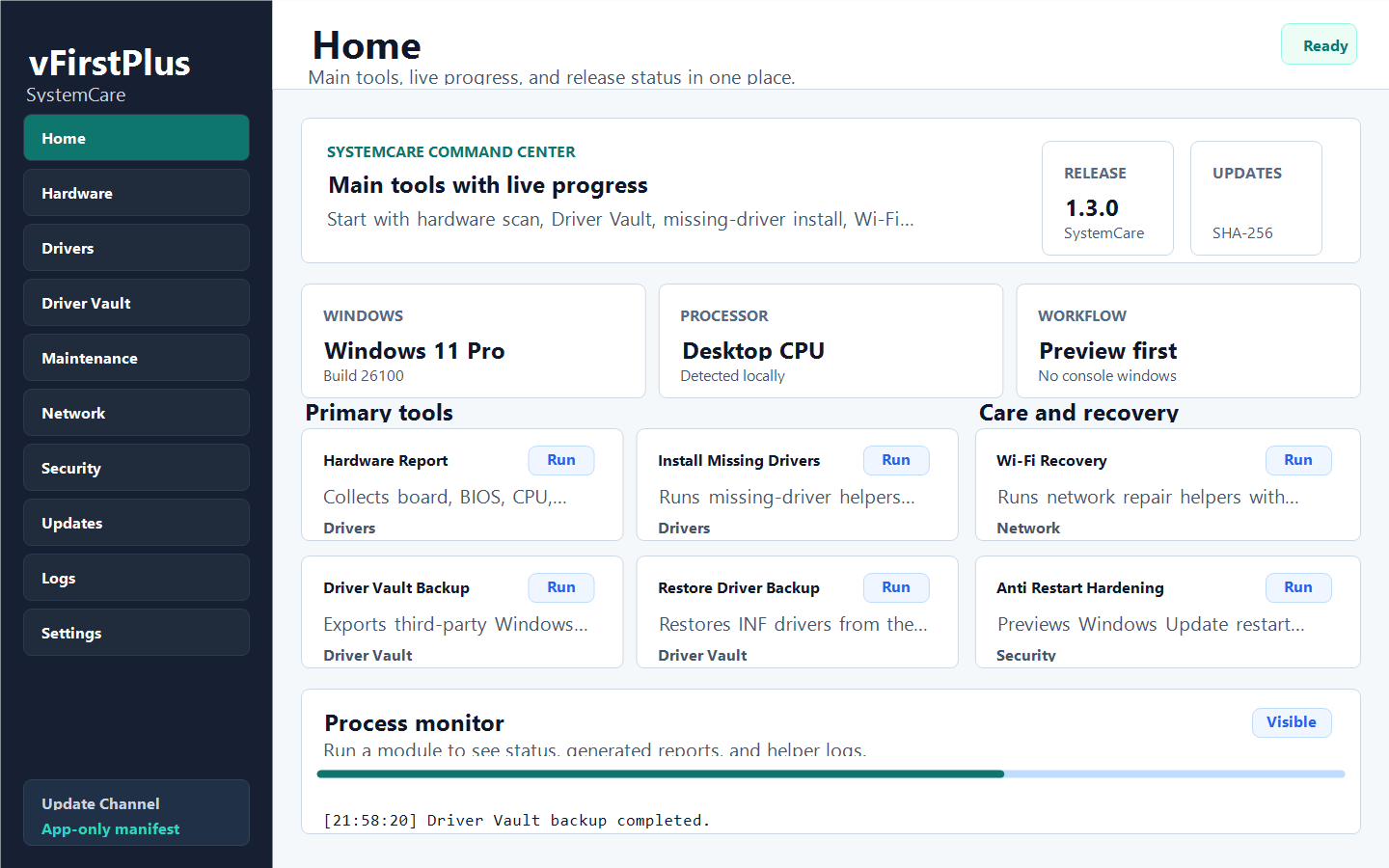
A clean command center for current release status, safe action cards, and live process output.
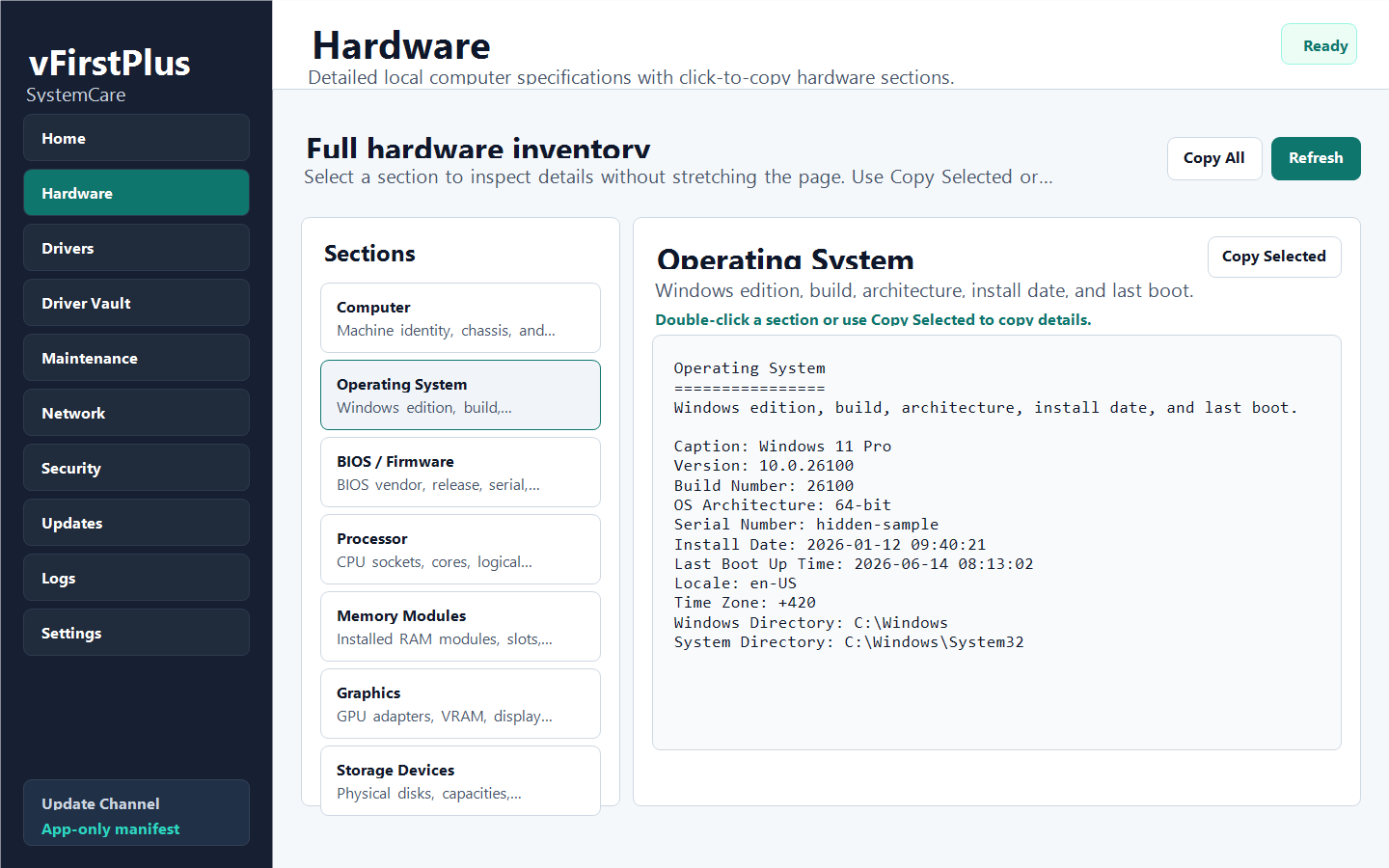
A support-ready spec view where every section can be clicked to copy its details.
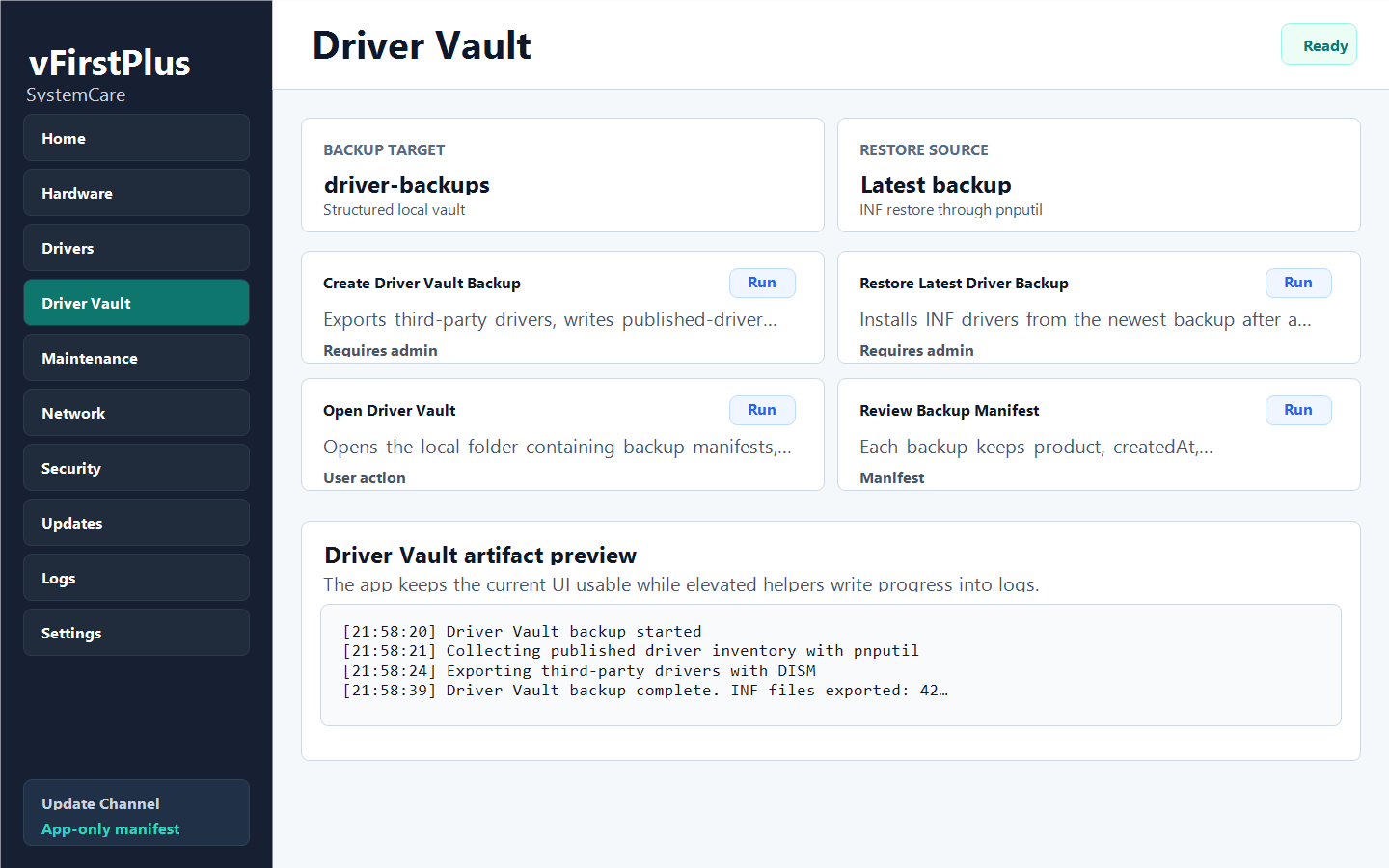
A dedicated driver backup and restore workspace with manifests, export logs, and visible helper progress.
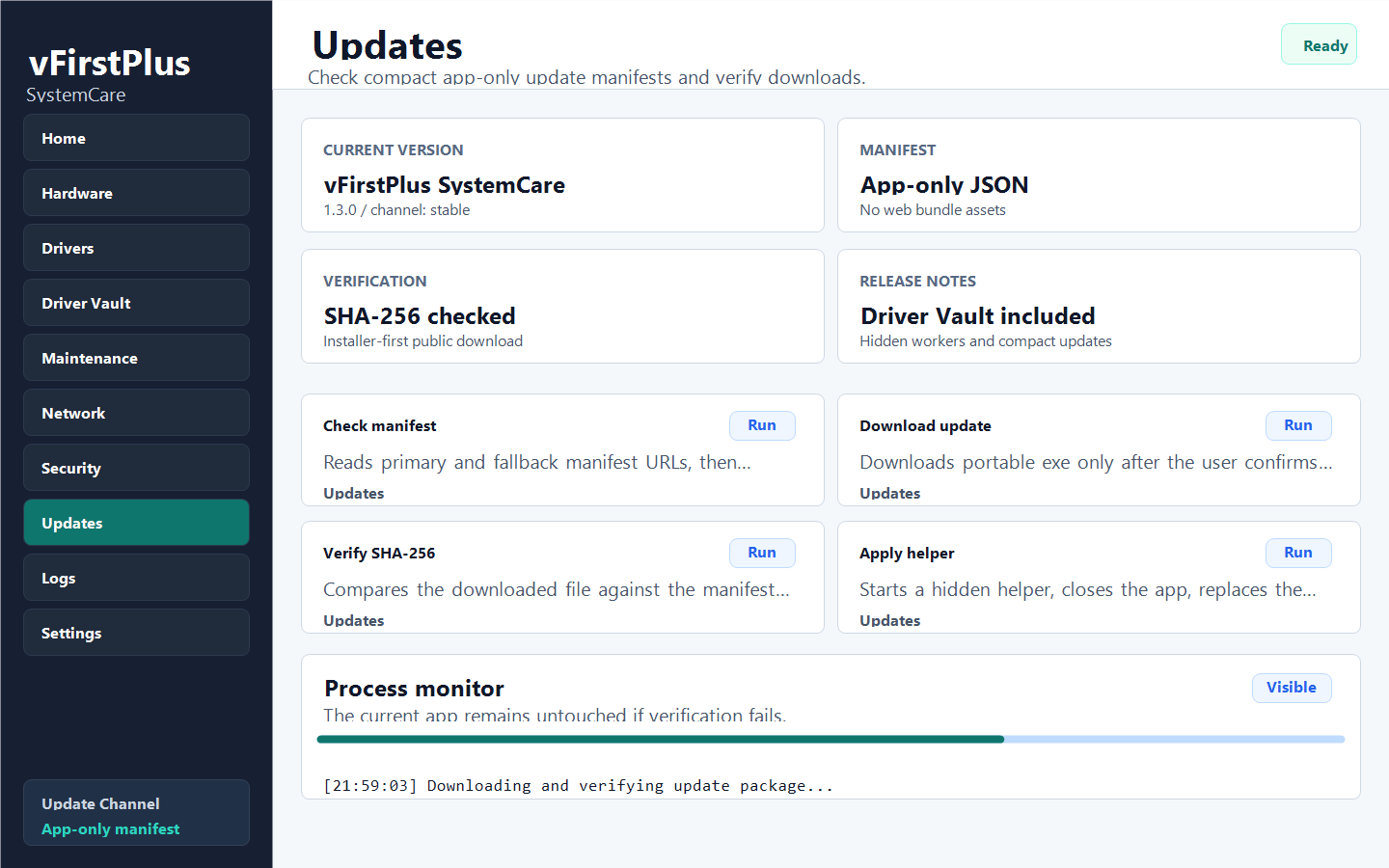
A compact app-only update flow with manifest details, SHA-256 verification, and installer-first release surfaces.
Workflow
Sensitive actions show a themed confirmation before running.
Helpers run through the app without opening batch or console windows.
The UI shows process, duration, last update, and active log output.
Downloads and updates are tied to stable filenames and SHA-256 hashes.